
Modern companies juggle sales, purchasing, inventory, accounting, projects, and compliance across dozens of spreadsheets and point tools. As teams grow, the friction of duplicate entry, broken formulas, and version confusion multiplies. That is where an integrated platform becomes more than a convenience; it is the difference between reacting late and acting early.
This article clarifies the practical distinctions between an end-to-end enterprise resource planning platform and the familiar mix of accounting software, spreadsheets, and niche apps. Rather than hype, you will find concrete criteria to evaluate, questions to ask vendors, and steps to stage an upgrade with minimal disruption.
We will compare scope, data architecture, automation depth, analytics, security, and economics. You will also see a brief case study that tracks a mid-sized firm’s journey from spreadsheet sprawl to unified operations, including measurable outcomes. By the end, you will understand where traditional tools still shine and where a modern platform is the smarter bet.
Why ERP Software Matters Now
“ERP Software” refers to a platform that unifies core operational and financial processes under one data model. In 2025, volatility, supply chain exposure, and compliance pressure make real-time coordination essential. The promise is simple: a single system that records work once, shares it everywhere, and triggers the next best action automatically.
- Single source of truth: Master data for customers, suppliers, items, and chart of accounts lives centrally.
- Process continuity: A sales order flows to fulfillment, invoicing, and revenue recognition without re-keying.
- Governed access: Roles, approvals, and audit trails are built in rather than bolted on.
Traditional tools can approximate this with heavy integration and careful discipline, but the effort grows nonlinearly with scale. A platform built to connect the dots reduces coordination costs and frees teams to focus on exceptions.
What Counts as Traditional Business Management Tools?
Traditional tools include desktop accounting packages, ad-hoc spreadsheets, basic inventory trackers, and specialized apps for HR, CRM, or purchasing. They are approachable, inexpensive, and often perfect for very small operations. The challenge emerges when teams try to stitch them together into a coherent, auditable whole.
- Spreadsheets act as missing glue yet hide business logic in untested formulas.
- Point apps excel at a slice but rarely share context or identity cleanly.
- Manual handoffs introduce delays and create blind spots during fast change.
When growth accelerates, these frictions become constraints. Leaders spend time hunting for numbers instead of steering the business. That is the signal to reconsider architecture, not just add another worksheet.
Architecture and Data: Centralized vs. Siloed
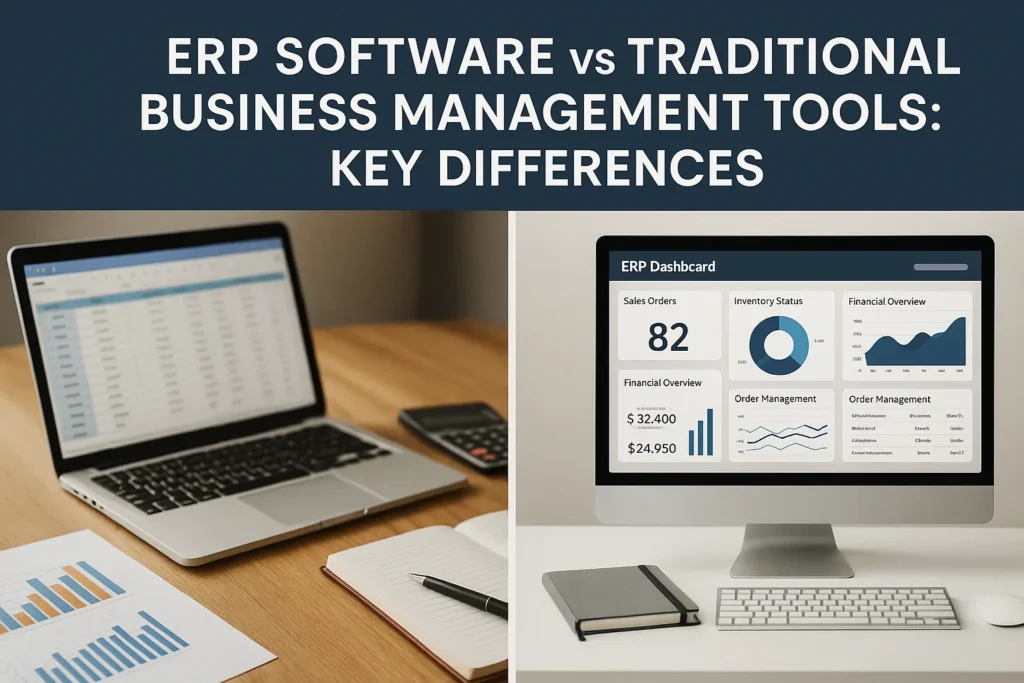
At the architectural level, the difference is stark. In a spreadsheet-plus-apps world, data is scattered across files and databases with overlapping definitions. Even simple questions like “what is on hand by warehouse?” require reconciliations. By contrast, a modern platform enforces consistent entities and links transactions end-to-end.
| Dimension | Traditional Tools | ERP Platform |
|---|---|---|
| Data model | Fragmented; duplicate tables | Unified; shared master records |
| Integrity | Manual checks | Constraints and validation rules |
| Identity | Multiple vendor IDs | Global supplier/customer IDs |
| Events | Email and batch exports | Real-time posting and webhooks |
| Scalability | File size and user limits | Horizontal scale with monitoring |
The payoff is fewer reconciliations, faster closes, and reliable analytics. When inventory, purchasing, and finance share the same ledger, discrepancies surface immediately instead of at month end.
Process Automation and Workflow
Automation means more than macros. In a unified system, business rules can trigger approvals, create tasks, route exceptions, and update downstream ledgers. Traditional stacks often rely on email trails and human memory. That is brittle during turnover and expansion.
Consider procure-to-pay. In spreadsheets, a buyer enters a request, someone else creates a purchase order in a separate app, receipts land in another file, and accounting matches invoices by hand. In a platform, policy and data travel together: request, approval, PO, goods receipt, three-way match, and payment run are one chain with checkpoints.
“Automate handoffs, not people. The goal is to remove rework and surface exceptions so experts can focus on judgment.”
Small teams can pilot automation in one area—such as three-way match tolerances—then expand. The metric to watch is touchless rate: what percentage of transactions complete without manual intervention?
Reporting and Decision Intelligence
Leaders make choices under time pressure. Traditional tools offer static reports that require export and cleanup. A modern platform layers analytics and forecasting on live transactions, enabling drill-downs from KPIs to source documents. Predictive models estimate demand, flag late shipments, and suggest replenishment actions.
- Self-service dashboards replace emailed spreadsheets that quickly go stale.
- Dimensional analysis across customer, item, location, and channel becomes routine.
- Narrative explanations help non-analysts understand what changed and why.
The theme is timeliness. A weekly spreadsheet can be accurate yet miss the window to act. Embedded analytics shorten the loop between signal and response.
Security, Compliance, and Risk
Auditors care about who changed what, when, and under which approval. Email trails and file shares are not a control system. Platforms provide role-based access, segregation of duties, audit logs, and automated retention. For regulated industries, built-in support for tax, privacy, and industry standards reduces surprises.
Spreadsheets remain invaluable sandboxes, yet their portability is a risk. If sensitive data must live in them, control distribution with DLP, watermarking, and row-level filters. Better yet, expose governed data to analysts through views or APIs rather than raw exports.
Cost, TCO, and Time to Value with ERP Software
Pricing models differ, but the economics hinge on labor and delay. Traditional tools appear cheap until integration work, reconciliation time, and error recovery are counted. Platforms demand subscription fees and implementation effort but repay through fewer hours wasted and faster turns. Time to value improves when teams start with priority processes and avoid over-customization.
Think in unit economics: cost per order processed, cost per invoice matched, days sales outstanding, inventory turns. If a platform reduces manual touches and stockouts, the cash impact can dwarf license fees. Negotiate contracts with outcome metrics and service-level commitments, not just feature lists.
Case Study: RiverLite Lighting’s Upgrade Journey
RiverLite Lighting, a regional manufacturer with three warehouses, ran operations on an accounting package, a CRM, and hundreds of spreadsheets. Purchasing relied on emailed requisitions, inventory counts lagged reality, and the monthly close took ten days. Customer service spent hours chasing shipment status across apps.
The firm selected a mid-market platform and phased the rollout. Phase one unified items, locations, and suppliers; implemented purchase approvals; and enabled bar-coded receipts. Phase two connected sales orders to fulfillment and invoicing, added automated three-way match, and introduced dashboards for on-hand, aged payables, and promise dates.
After six months, the soft close shrank to three days, purchase price variance dropped by 18%, and on-time shipments improved by seven points. The biggest win was visibility: planners could see constraints as they formed and reallocate labor before delays compounded. The company kept a small set of spreadsheets for scenario modeling, fed by governed exports.
How to Choose: A Practical Decision Framework
There is no moral victory in buying software you do not need. Some organizations should absolutely stay lean with spreadsheets and a solid accounting system—at least for now. Use the checklist below to choose with discipline and sequence upgrades without drama.
- Complexity: If you operate multiple warehouses, currencies, or legal entities, favor an integrated platform.
- Volume: High transaction counts magnify rework and justify automation earlier.
- Regulation: Audit requirements, e-invoicing, or traceability points toward governed systems.
- Talent: If workflow depends on a few spreadsheet gurus, reduce key-person risk.
- Roadmap: Select vendors that publish APIs, events, and upgrades you can absorb incrementally.
Plan a pilot in one value stream, establish baseline KPIs, and design exit criteria. Success is not the go-live; it is sustained improvement in cycle time, accuracy, and working capital.
Conclusion: Where ERP Software Fits
Traditional tools are flexible, familiar, and fast to start. They remain excellent for prototypes, micro-businesses, and specialized analysis. Yet they struggle to provide durable control at scale. A modern platform centralizes truth, automates handoffs, enables timely decisions, and embeds guardrails.
Migrations succeed when change management gets as much attention as configuration. Communicate early why the shift matters, and translate benefits into each role’s language: buyers want fewer chases, accountants want cleaner reconciliations, and sales wants reliable promise dates. Map old reports to new dashboards, archive legacy spreadsheets, and set up a feedback channel with rapid fixes. Train with real data and job-based scenarios instead of generic demos. Start with a champion team, monitor adoption weekly, publicize quick wins, and recalibrate workflows that resist reality before scaling. Run retros after each milestone. Invite feedback.
The smartest path is incremental. Keep what already works, retire spreadsheets that hide critical logic, and connect the rest to a governed core. Measure relentlessly, celebrate touchless wins, and keep customization light so upgrades stay easy. When the system fades into the background and people spend their time serving customers instead of copy-pasting, you will know you chose well.