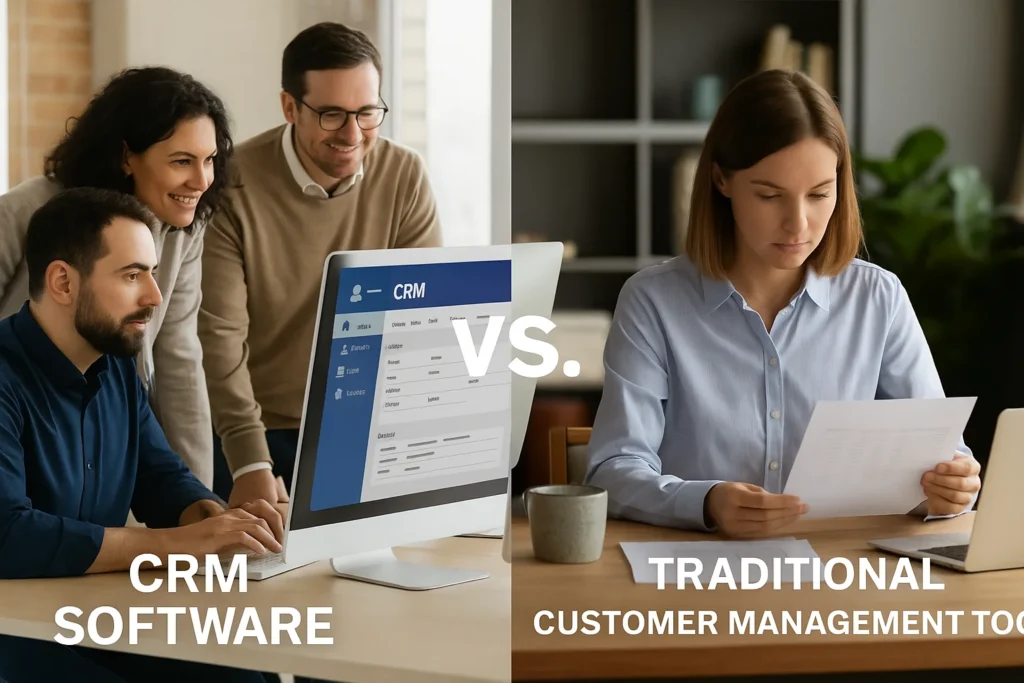

Choosing how to manage customer relationships today often comes down to a direct comparison between modern CRM software and the grab-bag of traditional customer management tools—spreadsheets, email folders, shared drives, sticky notes, and ad-hoc databases. Both approaches aim to centralize contact information, track interactions, and support sales and service, but their philosophies differ dramatically.
In this article, we’ll examine the trade-offs through a practical, business-first lens. We’ll explore cost, usability, data accuracy, collaboration, workflow automation, analytics, and long-term scalability. Along the way, you’ll see where legacy tools still make sense, when they become bottlenecks, and how CRM platforms convert scattered effort into repeatable outcomes.
Core Differences with ERP Software vs Traditional Tools
At a glance, both approaches store names, numbers, and notes, yet the experience diverges once teams begin working in parallel. Traditional tools require manual coordination; version conflicts and email attachments multiply. CRM systems provide a single source of truth with user permissions, audit trails, and role-based views, so marketing, sales, and support can act on the same data without stepping on each other’s toes.
Because context is unified, teams spend less time asking for updates and more time creating value. Activity timelines show who spoke to the customer, what was promised, and which next step is due. In a spreadsheet world, that context is scattered across tabs and inboxes, making it easy to miss commitments and hard to coach performance.
Why ERP Software Integration Changes the Equation
Standalone CRMs shine for pipeline and engagement, but their real power surfaces when they connect with ERP Software that runs inventory, finance, procurement, and fulfillment. When opportunity data flows into order management and invoicing automatically, you reduce re-entry, shorten quote-to-cash cycles, and improve the predictability of revenue. Traditional tools can be linked, but usually through fragile exports, email approvals, and one-off scripts that break when people or processes change.
This integration also sharpens pricing discipline. If discounting rules, taxes, and delivery dates are governed by ERP logic and exposed directly inside the CRM quote, reps no longer rely on tribal knowledge or stale price sheets. Customers receive accurate offers the first time, and finance sees clean, reconcilable transactions.
Total Cost of Ownership: Not Just Subscription Fees
Many teams assume spreadsheets and email are “free.” In practice, they carry hidden costs: time spent merging duplicates, hunting for attachments, and rebuilding the same report each month. CRM platforms introduce subscription and setup fees, but they repay that investment through standardized workflows, faster onboarding, and reduced rework. Consider the lifetime cost of errors—a mis-keyed discount, an outdated address, a missed renewal—problems that automation and validation rules in a CRM are designed to prevent. When you put a price on mistakes and delay, the payback period often shrinks from years to quarters.
To model the economics clearly, quantify hours spent on non-selling tasks, the frequency of data clean-ups, and the financial impact of delays between quote and invoice. Add the risk premium of knowledge walking out the door when an employee leaves. Viewed through that lens, traditional tools are only inexpensive when you ignore the value of your team’s time and the cost of lost opportunities.
Data Quality, Governance, and Security
Traditional tools make it easy to start and dangerously easy to drift. Files live on personal desktops; naming conventions vary; access controls are informal. CRM software enforces structure: required fields, picklists, deduplication, and field-level security. You also gain compliance features such as consent tracking and data retention policies. For regulated industries, those capabilities are not luxuries—they are survival requirements that auditors will test.
Governance also covers data lineage and accountability. With a CRM, you can trace who changed a field and when, restore records, and set approval gates for sensitive actions like discounting or territory changes. In informal systems, “who touched this?” becomes an archaeological dig through email threads.
Automation and Collaboration You Can Feel
A hallmark of CRM systems is the ability to automate mundane tasks. Lead routing, task creation, SLA timers, and notifications happen as part of a defined process. Instead of asking everyone to remember the rules, the system executes them. Traditional tools rely on human vigilance, which frays under growth. Collaboration also matures: shared timelines, @mentions, and customer histories make handoffs crisp, whereas email chains splinter context into private inboxes.
Good automation is opinionated but not rigid. Start with the few rules that eliminate the most rework—automatic follow-ups after meetings, escalations when tickets age out, and alerts when large deals go quiet. As adoption grows, layer in playbooks for onboarding, renewals, and expansion, so your best practices are baked into daily work. Truly.
How ERP Software and CRM Create a Closed Loop
When CRM handshakes with ERP Software, you finally close the loop between promise and delivery. Quotes reflect current inventory and pricing; orders trigger fulfillment; invoices sync back to account health. Customer success can see usage and payment status next to support tickets, enabling proactive outreach. Traditional tools can approximate this loop with diligence, but it hinges on heroic effort rather than dependable pipelines.
Advanced Analytics, Forecasts, and AI Assistants
With legacy tools, reports are snapshots assembled by analysts; by the time they reach the team, the numbers are stale. CRM platforms generate live dashboards, cohort analyses, and pipeline health scores that managers can trust during stand-ups. Increasingly, built-in AI assistants summarize calls, draft follow-ups, and highlight at-risk deals based on behavior patterns. Those capabilities depend on consistent data capture—something spreadsheets rarely enforce.
Real-World Case Study: From Spreadsheets to a Scalable Revenue Engine
Acme Industrial Supplies, a mid-market distributor, managed 8,000 SKUs and 2,500 accounts using shared spreadsheets and email. Sales reps kept private contact lists; operations struggled to match orders to quotes; finance reconciled invoices by hand. Peak season exposed the cracks: missed callbacks, double-shipped items, and inconsistent discounts. Leadership chose a phased CRM rollout integrated with their ERP for inventory and billing.
- Phase 1: Centralized accounts, contacts, and opportunities; enforced required fields and duplicate checks.
- Phase 2: Connected quoting in CRM to ERP pricing and stock levels; automated approval paths above discount thresholds.
- Phase 3: Synced orders and invoices; implemented renewal reminders and service case SLAs.
Within three quarters, the company reduced manual re-entry by 70%, cut quote-to-order time from four days to same-day, and decreased invoice disputes by 35%. Perhaps more importantly, managers finally trusted the forecast because every stage had clear exit criteria and system-checked completeness. The team still uses spreadsheets—for ad-hoc analysis—but not as a system of record.
The table below compares typical capabilities and pain points:
| Category | Traditional Tools | CRM Software |
|---|---|---|
| Data Consistency | Multiple file versions; manual merges | Single source of truth; deduplication |
| Process Control | Relies on memory and email | Workflows, validation, and SLAs |
| Reporting | Monthly snapshots | Live dashboards and forecasts |
| Security | Informal access rules | Role-based permissions and auditing |
| Scalability | Fragile as headcount grows | Designed for teams and growth |
“Tools don’t just store information; they shape behavior. The more your system nudges best practices, the less you rely on heroic memory.”
Practical Migration Steps Without the Drama
Migrating from traditional tools to a CRM works best when approached as a sequence of controlled experiments rather than a big-bang switch. Here is a pragmatic path teams follow successfully:
- Define the minimum viable data model: accounts, contacts, opportunities, and activities. Keep it lean to maximize adoption.
- Import a clean pilot segment—perhaps one territory or product line—and establish naming standards and validation rules.
- Configure two or three high-value workflows, like lead assignment and quote approvals, so users immediately feel the benefit.
- Roll out dashboards for daily stand-ups, focusing on a few actionable metrics: new pipeline, velocity, win rate, and aging.
- Integrate with email and calendars for seamless logging; defer complex ERP connections until the core is stable.
- Train with real deals, not sandbox examples, and appoint power users to coach peers and capture feedback.
- Tip: Document stage definitions and exit criteria to prevent “stuck” deals.
Common Pitfalls and How to Avoid Them
The most frequent mistake is attempting to mirror every legacy spreadsheet column as a CRM field. Resist that impulse; collect only data you will act on. Another pitfall is skipping change management because the interface feels familiar. Even intuitive CRMs alter habits, so budget time for short, frequent training sessions anchored in real opportunities and tickets. Finally, do not underestimate data cleansing. A small investment up front prevents months of frustration with duplicate records and broken reports.
Set a governance cadence early. Appoint owners for key objects, define who approves new fields, and publish a simple schema map. Review dashboards monthly to ensure they reflect the questions the business is actually asking. If reports become wallpaper, prune them and recommit to metrics that drive behavior, not vanity charts that look impressive but lack consequence.
Conclusion: Choose the System That Multiplies Effort
The essential decision is not “new versus old,” but whether your tools encourage consistent, collaborative behavior at scale. Traditional customer management tools are accessible and familiar; they help a solo operator or small team get moving. Yet as volume increases and handoffs multiply, their weaknesses surface in the form of duplicated effort, error-prone reporting, and opaque accountability.
CRM software—and especially CRM connected to ERP Software—replaces friction with flow. It standardizes the way data is captured, automates the rules you would otherwise police by email, and exposes real-time insights that guide action. You can absolutely succeed with spreadsheets for a time. But if growth and customer experience matter, a well-implemented CRM becomes the backbone that turns good intentions into reliable outcomes.