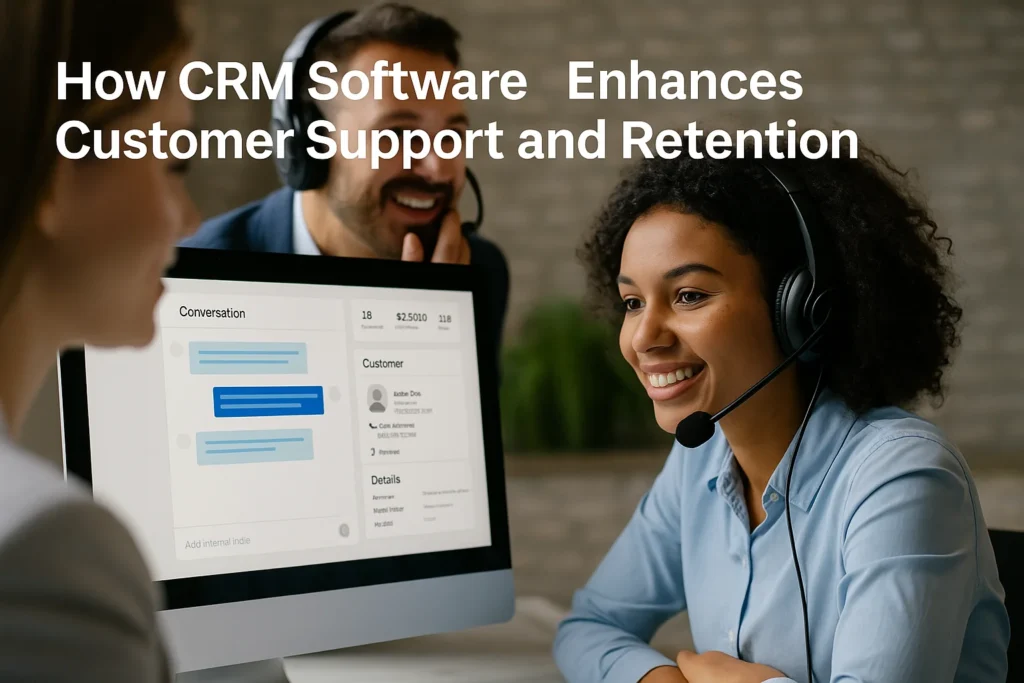

In service-driven markets, the first voice a customer hears after a problem often determines whether they stay loyal or leave. As product choices multiply and switching costs fall, the moments that follow a support ticket or a confused pre-purchase chat can shape months of revenue. Growing businesses need discipline, speed, and memory—qualities that Customer Relationship Management systems provide when they are implemented thoughtfully and used consistently across teams.
CRM software turns scattered conversations into structured knowledge. Instead of agents toggling between email threads, spreadsheets, and messaging apps, every interaction lands in a single timeline enriched with preferences, purchase history, and sentiment cues. That unified context allows teams to answer faster, coordinate follow-ups, and personalize solutions that feel respectful of the customer’s time.
This article explains how CRM elevates customer support and retention with practical processes, metrics, and examples. You will see where automation helps, where human judgment matters, and how pairing CRM with adjacent tools—especially ERP systems—creates end-to-end visibility that reduces friction for customers and cost for the business.
Why Customer Support and Retention Need CRM Focus
Retention is the outcome of many small promises kept: timely replies, accurate information, and clear next steps. Without a CRM backbone, those promises depend on memory and goodwill; with a CRM, they become repeatable processes. A central queue assigns tickets, service-level targets set expectations, and dashboards reveal bottlenecks before they escalate.
Support excellence also requires empathy at scale. CRM notes store context that would otherwise vanish between shifts: nicknames, device details, renewal dates, and known limitations. That history prevents customers from repeating themselves and signals that the company is listening—an emotional nudge that strengthens loyalty even when the answer is “not yet.”
Finally, CRM unites marketing, sales, and support. When a customer opens a ticket about a feature demoed in an ad, agents can view the campaign, adjust expectations, and offer alternatives. That cross-team visibility prevents finger-pointing and keeps the conversation centered on solving the customer’s problem.
Unified Customer Profiles and Context-Rich Conversations
A unified profile consolidates identifiers (email, phone, device IDs) and maps them to the same person or account. Duplicate detection and merge rules reduce noise; consent fields keep outreach compliant. Timelines show chat transcripts, call summaries, orders, invoices, and knowledge-base links in a scrollable view that any authorized teammate can access.
With context on hand, agents resolve issues in fewer touches. They can see that the user tried three troubleshooting steps yesterday, that shipping was delayed last month, and that a renewal is due next week. Responses shift from generic scripts to outcome-oriented guidance, which customers perceive as competence and care.
Teams can codify this with conversation playbooks: recommended macros, checklists, and escalation maps. Playbooks avoid robotic language while standardizing the essentials: verify the account, acknowledge the goal, share the plan, confirm the next checkpoint. Consistency is not the enemy of warmth; in CRM, it is the scaffolding that frees agents to be human.
Automation, SLAs, and Proactive Support
Automation reduces manual effort without erasing human discretion. Auto-triage labels tickets based on topic and urgency; round-robin assignment balances workloads; and AI-assisted summaries make handoffs crisp. Service-level agreements (SLAs) track first response and resolution times per priority, while breach alerts nudge teams before deadlines pass.
Proactive support uses CRM data to anticipate friction. If telemetry shows a version mismatch or a likely billing failure, the system can open a task before the customer notices the symptom. Combined with event-driven emails and in-app guides, proactive outreach turns potential escalations into quiet wins.
Automation should remain visible and reversible. Clear audit logs, customer-facing status updates, and the ability to pause sequences ensure that machines amplify judgment rather than replace it.
How CRM and ERP Software Work Together for Faster Support
Support rarely ends at the conversation; it often requires checking inventory, editing an invoice, or scheduling a replacement. Here, CRM handshakes with ERP Software to bridge the last mile between promise and fulfillment. The agent sees available stock, warranty dates, and shipment ETAs without switching tools, and the customer receives accurate commitments on the first reply.
When a refund is approved in CRM, a workflow posts the credit memo in ERP Software; when a purchase order lands in the warehouse, the ERP sends an update back to the CRM timeline. This bidirectional sync eliminates copy-paste errors, shortens cycle time, and builds trust because customers feel the organization is coordinated behind the scenes.
Using ERP Software Data to Personalize Retention Campaigns
Retention campaigns are stronger when operational reality shapes the offer. ERP Software knows margins, lead times, and bundle eligibility; CRM knows preferences, service history, and who advocates for the brand. Together they allow precise, sustainable incentives: extended warranties for heavy users, expedited shipping for recently escalated cases, or training credits for teams adopting new modules.
Because the data flows both ways, outcomes are measurable. Finance can see the cost of an appeasement; marketing can see the lift in lifetime value; support can see fewer repeat tickets on the same topic. Personalization stops being a guess and becomes an accountable playbook.
Metrics, Feedback Loops, and Continuous Improvement
What gets measured improves—if the measures align with customer outcomes. Useful CRM dashboards track time to first response, time to resolution, reopen rates, deflection via self-service, and sentiment shifts after each touch. Leaders should pair these with retention-centric metrics such as churn rate, expansion revenue, and referral volume.
Feedback loops turn numbers into narratives. Post-case surveys, qualitative tags, and root-cause fields feed an insights queue reviewed weekly. Patterns spawn backlog items: fix the onboarding email that confuses new users, rewrite the out-of-stock message, retire error codes that lack remedies. Continuous improvement is not a quarterly slogan; it is a weekly habit built into CRM rituals.
Small Case Study: BrightBrew Café Turns Support into Loyalty
BrightBrew Café is a regional coffee chain that launched a subscription for home delivery. Rapid growth overwhelmed its small support team: customers contacted three channels, agents updated separate spreadsheets, and deliveries occasionally arrived late. Churn crept upward.
The team implemented a lightweight CRM connected to their e-commerce platform and inventory system. A consolidated inbox routed cases by priority; macros set expectations; and a knowledge base covered brewing tips and delivery windows. Integrations pulled ERP-style stock levels into the ticket view so agents could promise realistic ship dates.
Within two months, median first-response time dropped by 60 percent; late deliveries fell by a third; and subscription retention rose eight points. Anecdotally, customers praised the clarity of updates and the way agents remembered preferences such as grind size. BrightBrew did not hire more staff; it organized the staff it already had.
Below is a compact view of support and retention metrics that growing teams track inside CRM. Use it during weekly reviews to align operational fixes with loyalty outcomes.
| Metric | How CRM Helps | Outcome for Retention |
|---|---|---|
| First Response Time | Queues, SLAs, and alerts accelerate acknowledgment. | Shows reliability; reduces early frustration. |
| Resolution Time | Playbooks and cross-tool integrations remove blockers. | Closes loops faster; increases perceived competence. |
| Reopen Rate | Root-cause fields and checklists prevent partial fixes. | Fewer repeated contacts; higher trust. |
| CSAT / NPS | In-context surveys tied to events, not mass blasts. | Direct signal on where to improve. |
| Self-Service Deflection | Searchable knowledge base and embedded guides. | Lower costs; customers feel empowered. |
Great support is not only fast; it is legible. Customers should always know what will happen next and when.
- Confirm the goal in the first reply and restate it at closure.
- Summarize steps taken so far and the single next step.
- Offer a fallback channel if the issue is urgent or complex.
- Record a brief post-case note for future teammates.
- Connect support, product, and finance to one weekly insights review.
- Tag tickets with root cause, not symptoms.
- Publish a changelog so customers see progress.
- Retire metrics that do not predict retention.
Before you roll out any new CRM workflow, run a low-risk pilot with a small queue and a clearly defined exit criterion. Document what improved and what broke, then iterate on naming, triggers, and notifications. Schedule short coaching bursts—ten minutes per shift—where agents practice with real tickets, not dummy data. Celebrate the first visible wins, like a faster refund or a saved renewal, so momentum compounds. Most teams do not lack tools; they lack shared vocabulary and practice. Align on definitions, rehearse the playbooks, and revisit them monthly—discipline and momentum. Deliberately.
Conclusion
Keeping customers is cheaper than winning new ones, but retention is not an accident. CRM software gives growing businesses the memory, rhythm, and cross-functional visibility needed to deliver consistently good experiences. When combined with ERP data, those experiences extend beyond the conversation to accurate promises, fair remedies, and personalized offers.
Adopt CRM as a discipline: define the workflows, measure the right signals, and review them with curiosity every week. Train agents to use context, not scripts; make your knowledge base part of the product; and wire automation so it assists rather than annoys. Do this, and support becomes a revenue engine—one resolved case at a time.